
Want to help contribute to my growing collection of high quality Wallet Card Image Rips? Follow the below instructions!
Note: no card information or personal information will be shared when getting this image. The images are generic and just the design of the card is shared
Option 1: Google Wallet Web
Recently a listener Kleed shared that you can get high quality digital wallet images from Google Wallet web! No longer do you need to have a Mac with Touch ID. Anyone with a Google account should be able to do this option and the images are the same quality!
- Navigate to wallet.google.com
- Add your card to your Payment Methods
- Wait for the card image to populate
- Click on the card so you are looking at the card details
- Right click or long press and select Save Image As
- Send me the image via some non-compressing medium like Google Drive
Option 2: Apple Wallet
Requirements: Mac with Touch ID
Add a card to your Apple Wallet under System Preferences. It makes it easier if only the card you want the image for is in the wallet. No need to verify with the bank if it prompts you to; the image will be there even if you do not verify. You can click Cancel on the verification screen
– Open Finder
– Hit Command, Shift and Period in Finder to show hidden folders
– Hit Command Shift L to open your Library folder then > Passes > Cards
– Right click the .plpass file you want to get the file for and select “Show Package Contents”
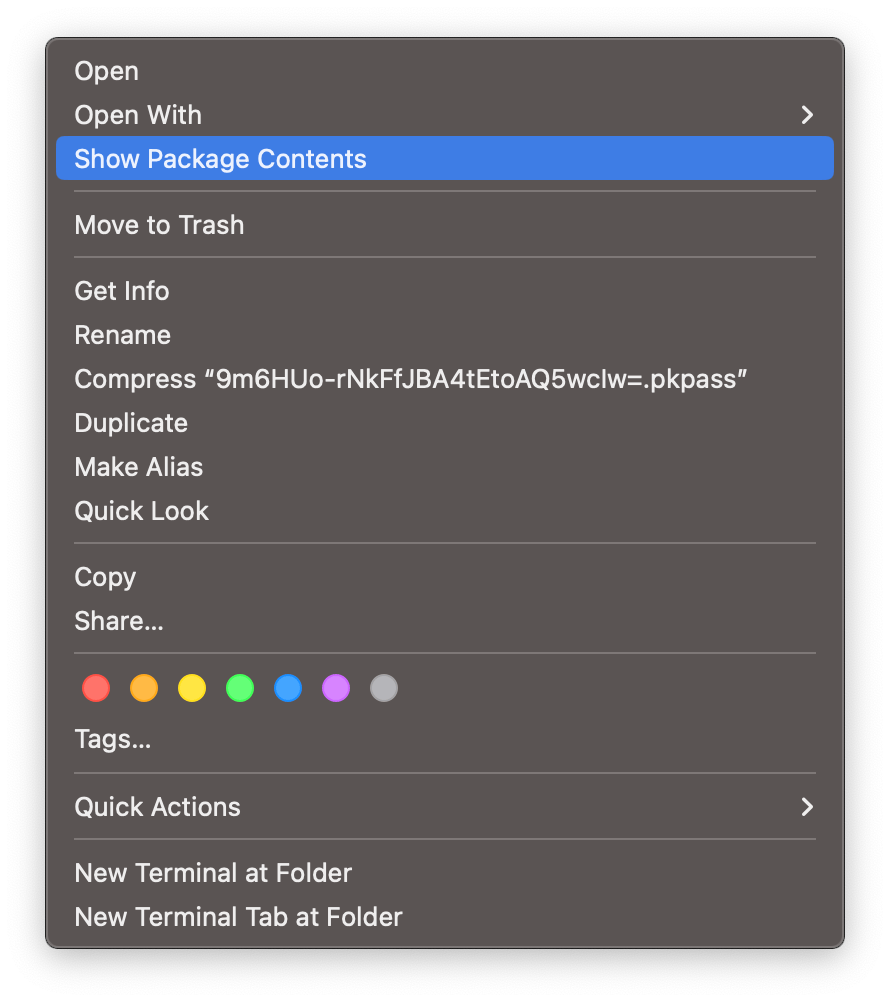
– Once opened, you will see a cardBackgroundCombined@2x.png file. This is the high quality image.
– Rename this file (it will be overwritten if you run the command again) and remove the card from your Apple Wallet
– Send me the image via some non-compressing medium like Google Drive
– Add the link to the comments below


 Personal Finance


Leave a comment